
Printer error codes identify specific hardware subsystem failures across mechanical feed paths, optical carriage encoders, thermal or piezoelectric printheads, and waste ink absorber page counters. Distinguishing permanent electrical or sensor faults from temporary clearing errors requires isolating optical timing, voltage rails, and EEPROM counter limits before replacing parts.
When an office printer or continuous ink supply system (CISS) locks up with a flashing amber light or an alphanumeric code, operators often cycle power repeatedly. Power cycling rarely resolves the root problem. Modern desktop printers from Epson, Canon, Brother, and HP run real-time hardware telemetry during startup. The mainboard microcontroller polls optical photo-interrupters, quadrature encoders, thermal sensing thermistors, and motor driver currents.
When a measured value deviates from firmware timing tolerances, the printer halts immediately to protect mechanical gear trains and power rails from catastrophic damage. On my service bench at ACJ Electronics in Poblacion, San Vicente, Ilocos Sur, understanding what these diagnostic codes signal at the component level saves clients thousands of pesos in unnecessary module replacements.
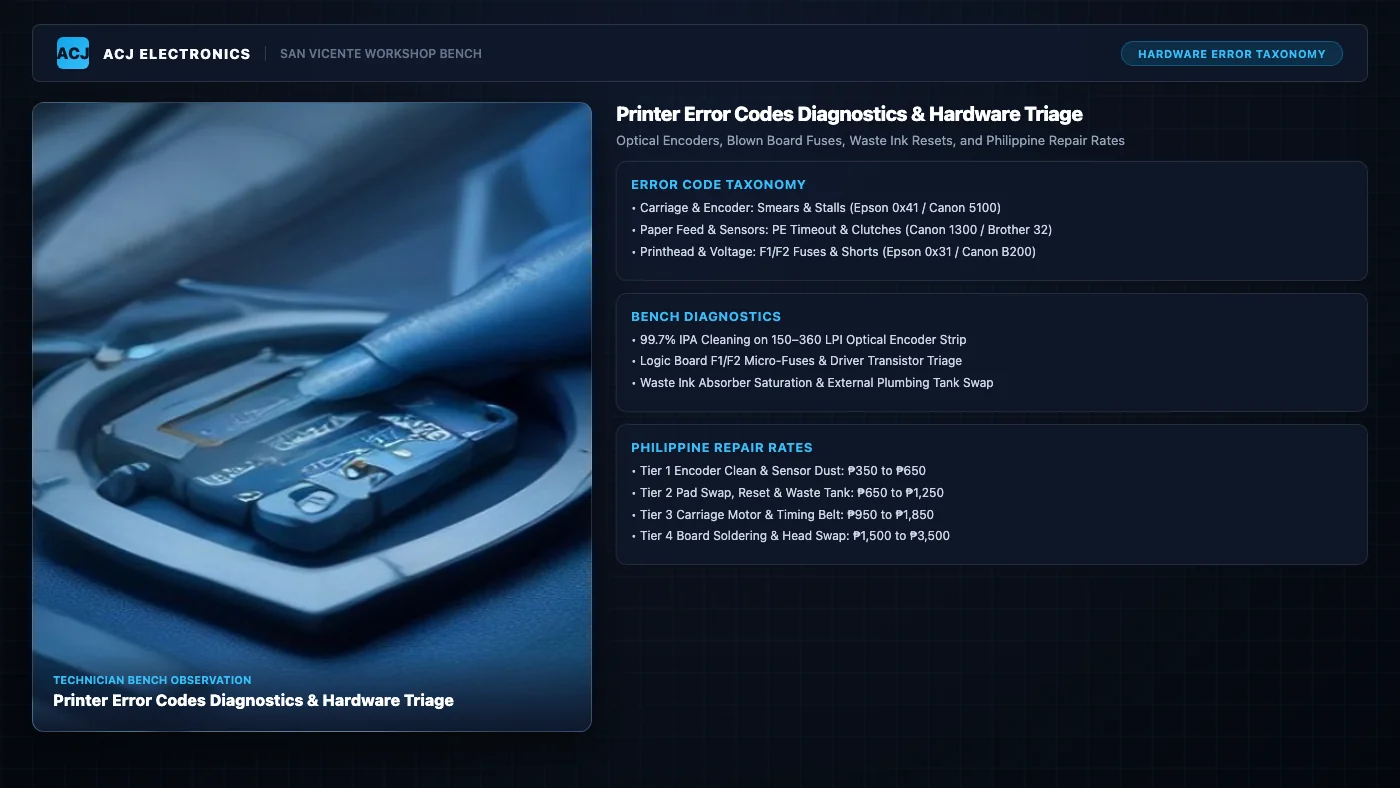
The Four Core Hardware Error Code Families
While error syntax differs across manufacturers, printer failure modes cluster into four distinct electro-mechanical families. Pinpointing the responsible subsystem narrows down bench troubleshooting within minutes.
1. Carriage and Optical Encoder Timing Errors
The printhead carriage moves across the platen on polished stainless steel guide rails driven by a DC servo motor or stepper motor and a toothed neoprene belt. To synchronize droplet ejection down to 1/4800th of an inch, the printer relies on a linear optical encoder strip. This thin strip of transparent Mylar is suspended across the carriage travel width, etched with 150 to 360 lines per inch (LPI) microscopic photolithographic gratings.
As the carriage sweeps, an infrared photo-interrupter sensor on the carriage board reads these tick marks, generating two phase-shifted square waves (quadrature channels A and B) for the mainboard microcontroller. If aerosolized ink mist, paper dust, or guide rail grease contaminates this strip, the optical sensor loses count. The microcontroller detects an unexpected pulse delay or position mismatch, assumes the carriage has crashed into a physical obstruction, and shuts down.
- Epson: Error
0x000041,0x000042, or0x000043(Carriage PID drive error, linear scale feedback loss, or carriage motor driver overcurrent). - Canon: Error
5100(Carriage movement error) or Error6000(Line feed LF timing encoder disk contamination). - Brother:
Error 48orUnable to Print 48, andError 4F(Printhead position sensor failure or carriage travel timeout). - HP: Error
0x6100004aorCarriage Jam(Carriage stall detected through motor load feedback).
2. Paper Feed and Sensor Timing Errors
Paper feed mechanisms synchronize sheet pickup, registration, and ejection through optical flag sensors. As described in our detailed printer paper jam diagnostic guide, a paper entry (PE) sensor flag tilts when the leading edge of a sheet passes, clearing an optical photo-interrupter slot. The mainboard firmware expects this sensor transition within a precise microsecond window after commanding the pickup roller solenoid clutch.
If the D-shaped pick-up roller has glazed EPDM rubber, paper dust accumulation, or a stuck solenoid armature caused by degraded foam dampeners, the paper arrives late. The printer halts and reports a paper jam, even when paper has not entered the rollers, or conversely, when the sheet has fed halfway through.
- Epson: Error
034004(Paper feed timeout) or0x000002(Pickup clutch position failure). - Canon: Error
1300(Paper jam in transport zone), Error1000or1003(Paper out or pickup mechanism slip). - Brother:
Error 30(Rear feed jam) orError 32(Internal transport path timeout). - HP: Error
E2(Paper size mismatch) orE4(Paper pickup failure).
3. Printhead Thermal and Voltage Rail Errors
Printhead error codes represent the most critical hardware failures on an inkjet printer. Inkjet printheads operate under two competing technologies: thermal bubble jet (Canon and HP) and piezoelectric micro-pumping (Epson and Brother).
Thermal printheads use microscopic thin-film tantalum resistors to flash-boil ink droplets at over 300°C. If an operator runs ink tanks dry, the nozzles fire without liquid cooling. The microscopic resistors overheat, crack, and create internal short circuits. The logic board senses abnormal resistance or power rail overcurrent and locks the system.
Piezoelectric printheads use lead zirconate titanate (PZT) ceramic elements that flex under high voltage (up to 42V DC) to eject ink. While piezo elements do not burn out from dry firing, liquid ink leaks past worn manifold silicone gaskets onto the multi-pin flexible flat cable (FFC). This ink creates an electrical bridge between the 42V firing rail and the 3.3V logic return lines, instantly blowing surface-mount micro-fuses on the motherboard.
- Epson: Error
0x000031,0x000033, or0x000060(Printhead temperature abnormal, piezo driver IC short, or communication link failure). - Canon: Error
B200(Dual 24V/32V power rail short or head thermistor failure), Error1403or1401(Printhead unrecognized or internal EEPROM unreadable). - Brother:
Error 46orUnable to Print 46(Printhead temperature abnormal or purger failure),Error 50(Piezo driver timing fault). - HP: Error
0xc19a0003,0xc19a0013, or0xc19a0023(Ink delivery system or printhead voltage supply failure).
4. Maintenance and Waste Ink Absorber Counter Overflows
Every time an inkjet printer powers up, cleans its nozzles, or prints borderless photos, a peristaltic purge pump draws ink through the head to clear dried clogs. This purged ink is routed through silicone hoses into high-density porous felt pads seated in the plastic chassis base.
Because felt pads have a finite liquid absorption volume, manufacturers program an internal page and purge counter directly into the mainboard EEPROM. Once this calculated tally reaches 100% capacity (typically between 15,000 and 25,000 pages depending on cleaning frequency), the printer permanently locks itself down. This is not a physical sensor trip; it is an algorithmic lock designed to prevent caustic liquid ink from spilling onto desks and power supply circuitry.
- Epson:
Service Required(“A printer’s ink pad is at the end of its service life”). Alternating red blinking LEDs. - Canon: Error
5B00,5B02, or1700(Waste ink absorber full or nearly full). Alternating green power and orange alarm blinks (7 or 8 cycles). - Brother:
Machine Error 46orUnable to Print 46(Waste ink purger box full). - HP:
Ink System Failureor ErrorE9(Service station absorber saturation or maintenance lock).
Component-Level Diagnostics and Bench Isolation
Resolving persistent printer codes requires an orderly diagnostic bench process. Swapping assemblies without testing root causes leads to repeat failures or blown replacement parts.
Cleaning Optical Encoders Without Surface Damage
When diagnosing carriage errors like Canon 5100 or Epson 0x000041, inspect the linear encoder strip under bright LED magnification. Look for smudges of black ink mist or yellow grease near the capping station where the carriage parks.
Never clean an encoder strip with aggressive industrial solvents like acetone, lacquer thinner, or standard glass cleaner containing ammonia. Harsh chemicals dissolve the transparent polyester film and strip off the photolithographic tick marks, destroying the encoder permanently. Instead, use a lint-free electronics micro-swab dampened with 99.7% electronic-grade anhydrous isopropyl alcohol. Support the strip from behind with a clean fingertip in an ESD glove, gently pinch the swab across both sides, and draw it linearly along the strip. Also inspect the rotary encoder disc on the paper feed platen shaft for ink overspray.
Triage of Printhead Voltage Rails and Logic Board Fuses
When an Epson EcoTank printer displays error 0x000031 or fails to power on after a printhead flush, the fault is almost always on the main logic board. Liquid cleaning solution or wet ink entering the FFC connection shorts the 42V drive rail to ground. This surge immediately sacrifices the logic board surface-mount micro-fuse, labeled F1 or F2 (typically a 0603 or 1206 footprint fast-acting 0.5A to 1.5A fuse).
Using a digital multimeter in continuity or resistance mode, probe across F1 and F2. A blown fuse reads open circuit (infinite resistance). Do not stop there. If you replace or bridge the fuse without checking the driver transistors, the new fuse will vaporize instantly. Test the complementary power transistor pair (commonly Sanken A2222 and C6144, or Toshiba 2SA1962 and 2SC5242). Measure collector-to-emitter resistance; any reading below 10 ohms indicates punctured silicon that requires hot-air micro-soldering replacement.
Waste Ink Absorber Saturation and External Tank Conversions
When an EcoTank or MegaTank printer triggers a waste ink absorber error (Canon 5B00 or Epson Service Required), simply resetting the software counter without addressing the physical pads creates a major leak hazard. Saturated felt pads cannot absorb additional fluid. Liquid ink will migrate into the bottom chassis, pool around the high-voltage power supply, and short AC mains circuitry.
On our bench, we perform physical felt pad swaps or chemical cleanouts. For high-volume print shops, commercial offices, and internet cafes, the most reliable long-term solution is an external waste tank conversion. We disconnect the peristaltic pump silicone drain tube from the internal felt box, extend it with medical-grade silicone tubing through a drilled chassis relief port, and route it into a sealed external reservoir fitted with a breather filter. Once the physical drainage is secured, we reset the internal EEPROM registers using authorized service utility protocols (such as Canon Service Mode v5103 / v5306 or Epson WIC Reset).
Printer Error Code Diagnostic Decision Matrix
The table below summarizes the four primary hardware error families across leading brands, detailing root causes, bench testing methods, and permanent repair solutions.
Philippine Commercial Repair Price Matrix
Professional printer repair costs in the Philippines depend directly on whether the fault requires simple optical cleaning, mechanical overhauls, or board-level micro-soldering. Transparent rates for common printer servicing tiers are detailed below, matching our standardized printer repair cost guide.
For a wider perspective on consumer device repair budgeting across computers, phones, and printers, check our central electronics repair pricing hub.
The 50% Economic Repair Feasibility Rule
Not every printer showing a hardware error code should be repaired. We guide our counter clients using our proven repair versus replace framework, anchored by a strict 50% economic rule.
If the estimated cost of parts and labor exceeds 50% of the cost to buy a new, equivalent printer with a full warranty, repair is economically unfeasible. Here is how that rule applies in practice:
- Budget Cartridge Printers (Canon MG/TS series, HP DeskJet): These printers retail between ₱2,200 and ₱3,800. When they suffer from failed printhead carriage contacts, burnt power boards, or cracked chassis gears, repair estimates often hit ₱1,600 to ₱2,400. In this category, replacement is almost always the smarter financial choice.
- Commercial CISS and Ink Tank Workhorses (Epson EcoTank L-series, Canon MegaTank G-series, Brother InkBenefit): These machines retail between ₱8,500 and ₱18,000. Common errors like 5B00, 5100, 0x000041, or paper feed clutch stalls are fully resolved for ₱650 to ₱1,850. Because the repair cost represents less than 20% of replacement value, repairing ink tank printers is exceptionally economical.
Bench Case Study: Canon PIXMA G3010 Error 5B00 and 5100 Clearance
A small accounting firm from Poblacion, San Vicente brought in a Canon PIXMA G3010 all-in-one printer with an integrated continuous ink system. The printer had logged 22,480 pages over three years of intensive tax season printing.
Initial Symptoms and Telemetry
Upon power-on, the printer emitted an alternating flashing sequence of the green power LED and orange alarm LED (7 blinking cycles), indicating error 5B00 (Waste Ink Absorber Full). In addition, when attempting to test feed, the carriage slammed violently against the left chassis wall, shuddered, and threw secondary error 5100 (Carriage Movement Error).
Bench Triage and Root Cause Isolation
Using our bench multimeter, I first verified the 24V DC auxiliary rail from the internal power supply module; voltage was clean and stable under idle conditions. Opening the top housing revealed heavy black pigment ink overspray coating the interior chassis. Under stereoscopic magnification, the transparent linear optical encoder strip had a dense mist of aerosolized ink droplets directly over the home capping station. The carriage sensor could not detect position timing, causing the motor driver to slam the assembly against the chassis stops.
Inspecting the bottom chassis cavity confirmed the porous felt absorber pads were 95% saturated with liquid waste ink, threatening to overflow onto the desk surface.
Repair Execution and Financial Breakdown
The repair was carried out through three coordinated bench steps:
- Encoder De-fogging: The linear encoder strip was cleaned using 99.7% electronic-grade anhydrous isopropyl alcohol and lint-free swabs, restoring full optical clarity without disturbing tick mark geometry.
- EEPROM Service Reset: The printer was booted into Canon Service Mode (holding Stop/Resume while cycling Power 5 times). Using Canon Service Tool v5103, the internal main waste ink absorber counter was re-flashed to 0.0%.
- External Waste Tank Conversion: The peristaltic purge pump silicone discharge tube was disconnected from the internal felt tray, routed through a neat rear chassis relief grommet, and connected to an external 100 ml waste ink bottle equipped with an internal baffle and breather valve.
The entire turnaround took two hours. Total billing was ₱950 (₱450 service fee, ₱500 external tank hardware and tubing). Compared to purchasing a brand-new Canon PIXMA G3010 replacement at ₱8,500, the firm saved ₱7,550 while completely eliminating future waste pad lockouts.
Professional Bench Services in Ilocos Sur
If your office printer is locked with a stubborn hardware error code, grinding gears, or a flashing warning lamp, avoid forced restarts that risk stripping delicate gears or shorting motherboard fuses. Our workshop in Poblacion, San Vicente provides comprehensive diagnostics, ultrasonic nozzle cleaning, logic board micro-soldering, and external tank conversions.
Explore our complete commercial service capabilities on our dedicated printer repair services page and discover broader maintenance strategies in our printer repair hub. For technicians developing their own bench diagnostics, review our hands-on guides in the tools and skills hub.