
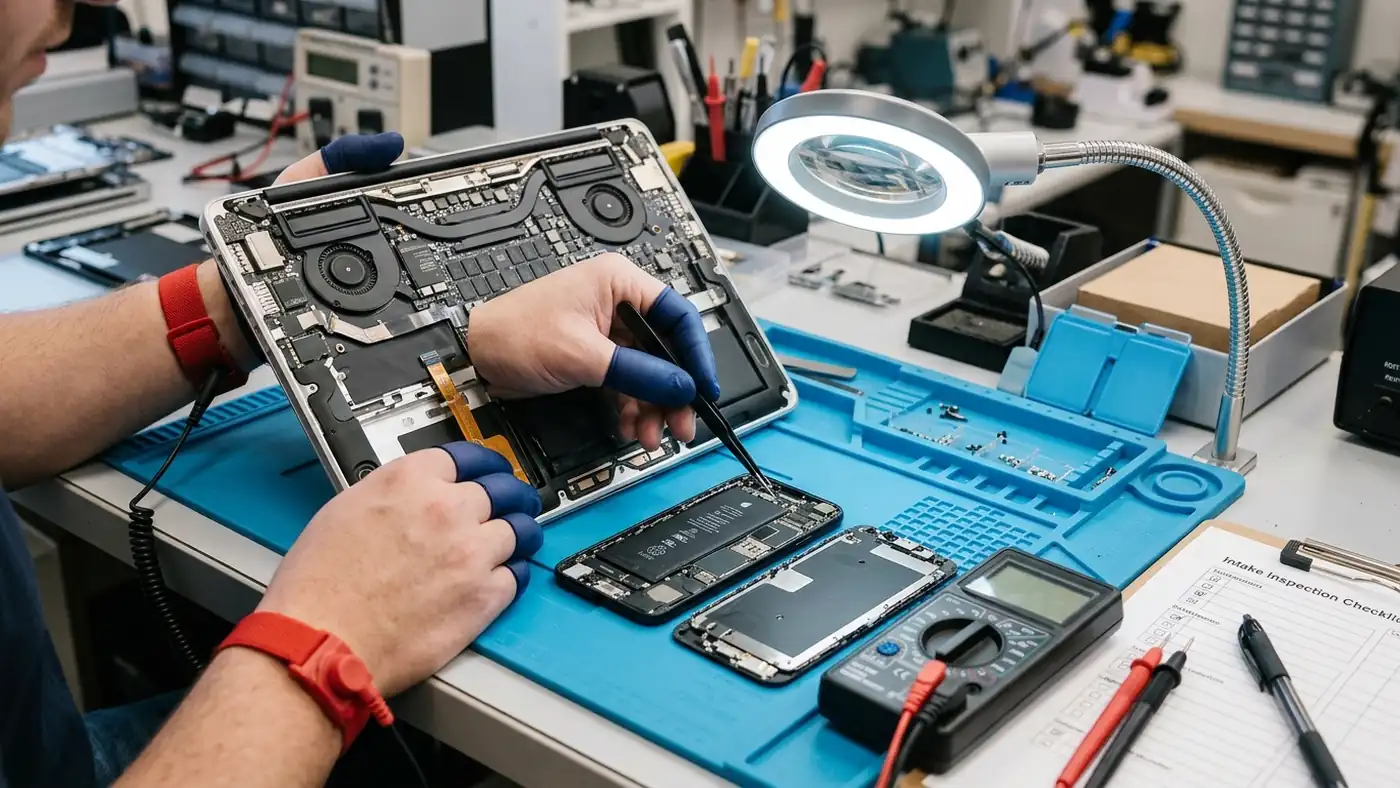
Every reliable repair begins with an accurate intake diagnosis. At ACJ Electronics in Poblacion, San Vicente, Ilocos Sur, I provide direct counter intake, component-level fault isolation, and transparent repair consultations for clients across Ilocos Sur. Whether your laptop refuses to turn on, your smartphone suffered liquid exposure, or your office printer displays persistent mechanical error codes, you communicate directly with the technician who inspects and solders your hardware.
I operate ACJ Electronics under formal engineering fundamentals as a Bachelor of Science in Electronics and Communications Engineering (BS ECE) graduate from St. Paul University Philippines and a certified Computer Hardware Servicing NC II technician. You can review my background on my engineering authority profile or read our workshop background on our About Us page. I do not guess symptoms or swap random parts at your expense. Every device undergoes a methodical hardware triage before any quotation is issued.
Workshop Location and Counter Intake in Poblacion, San Vicente
ACJ Electronics operates a dedicated physical electronics repair workshop located in Poblacion, San Vicente, Ilocos Sur (geographic coordinates: 17.597452507942055, 120.37318101347567). Our counter intake welcomes walk-in customers during our standard operating hours:
- Monday to Friday: 7:30 AM to 8:00 PM
- Saturday: 7:30 AM to 5:00 PM
- Sunday: 8:00 AM to 6:00 PM
Our workshop sits in central Poblacion, making it easily accessible from Vigan City, Bantay, Santa Catalina, Caoayan, and northern Ilocos Sur towns. You can walk in during business hours without a formal booking. However, calling or messaging ahead helps confirm whether specialized replacement parts are on hand or if your failure symptom requires immediate emergency triage.
Pre-Visit Diagnostic Checklist: What Information to Prepare
Bringing complete hardware context to the intake counter dramatically speeds up diagnostic triage. Before visiting our workshop or sending an inquiry, note the following four diagnostic details:
- Exact Device Make and Model Number: Locate the complete manufacturer model number on the bottom casing sticker, battery bay, or purchase receipt (for example, Asus Vivobook X515, Samsung Galaxy A54 5G, Epson EcoTank L3210, or HP LaserJet Pro M404). Generic descriptions like “14-inch Acer” delay schematic lookup.
- Specific Failure Symptom and Sequence: Record exactly what the hardware does when energized. Does the charging LED flash amber, does the fan spin for two seconds and shut down, or does the screen show faint backlight bleed without display graphics? Detail whether the failure occurred after a thunderstorm power surge, a physical drop, or a recent operating system update.
- Prior Repair and Disassembly History: Tell me honestly if another repair shop opened the unit, reflowed the board with a hot air gun, or attempted a battery replacement. Hidden damage like stripped chassis standoffs, missing motherboard screws, torn flex cables, or burned copper traces must be isolated during pre-power triage.
- Original Charging Accessories and Cables: For laptops, external monitors, and specialized audio gear, bring your original AC power adapter. Many intermittent shutdown and no-charge symptoms stem from fractured barrel jack center pins, damaged USB-C CC lines, or degraded adapter output capacitors rather than motherboard faults.
The 7-Step Intake and Diagnostic Scoping Sequence
When you drop off hardware at ACJ Electronics, your device follows a disciplined 7-step engineering workflow designed to protect your data, eliminate unexpected costs, and deliver durable repair outcomes:
- Counter Inspection and Intake Documentation: We log your device serial number, inspect outer casing condition, verify screen integrity, and document reported symptoms on our intake ledger. You receive a physical intake slip recording your equipment details.
- Non-Invasive Pre-Power Triage: Before connecting mains voltage or battery power, I inspect the board under an optical microscope for liquid corrosion, charred silicon packages, cracked ceramic MLCC capacitors, and damaged connectors. High-voltage power supply capacitors are discharged through a 1 kΩ 10W ceramic bleeder resistor to protect sensitive ICs.
- Cold Power Rail Resistance Testing: Using a digital multimeter in low-resistance and diode mode, I measure resistance to ground across all primary voltage rails (such as 19V DC-in, 3.3V standby, 5V standby, and 1.05V PCH). Any dead short (reading below 1.0 Ω on high-voltage rails) is isolated before power is applied.
- Controlled Bench Energization and Fault Isolation: The motherboard is powered using a current-limited DC bench power supply while monitoring milliamp current draw. Thermal imaging with a FLIR thermal camera reveals overheated buck converters, shorted bypass capacitors, or failing power management ICs within seconds.
- Itemized Quotation and Economic Feasibility Review: We contact you with an exact diagnostic finding, an itemized parts and labor cost, and an estimated turnaround schedule. We apply our strict 50% economic feasibility rule: if the repair cost exceeds half the market price of an equivalent functional replacement, I will advise you not to repair it.
- Component-Level Micro-Soldering and Workmanship: Upon your explicit approval, repairs proceed under IPC-A-610 Class 2/3 joint inspection standards. Faulty surface-mount components are desoldered and replaced using calibrated temperature-controlled soldering irons and lead-free SAC305 or Sn63/Pb37 solder alloys. Corroded boards receive ultrasonic cleaning with 99.7% anhydrous isopropyl alcohol.
- Validation Burn-In and Documented Handover: Repaired devices undergo continuous 2 to 4 hour bench burn-in stress testing to verify thermal stability, charging rail performance, and peripheral integrity. Your device is returned with documented test results and our standard 90-day workmanship warranty.
Direct Communication Channels and Consultation Routing
You can reach ACJ Electronics through multiple direct communication channels depending on your diagnostic urgency and schedule:
- Phone and SMS (Direct Bench Line): Call or text +63 927 609 7155. This is the fastest way to reach the bench for urgent hardware questions, walk-in notifications, or status inquiries.
- Online Intake Form: Submit your details using the form at the top of this page. Include your device model and symptom description. I review messages during shop hours and reply with practical next steps.
- Email Support: Send detailed error logs, schematic queries, high-resolution board photos, or quotation requests to hello@acjelectronics.com.
- Turn-by-Turn GPS Directions: Use our Google Maps workshop location to route directions directly from your current position in Ilocos Sur.
Emergency Hardware Triage: Liquid Ingress and Battery Swelling Protocols
Certain electronic failures demand immediate customer intervention before bringing the unit to the workshop. Following these emergency protocols prevents catastrophic board destruction and personal safety risks:
Liquid Ingress Emergency Protocol (Laptops, Phones, and Audio Gear)
If your device contacts water, coffee, juice, or rainwater, immediately take these four actions:
- Cut Power Instantly: Shut down the device immediately. Disconnect the charger and remove the battery if it is externally detachable. Do not power on to check if it still works. Electric current passing through mineralized moisture causes instant galvanic trace corrosion and short-circuits power management silicon.
- Do Not Use Uncooked Raw Rice: The popular rice myth is harmful. Rice does not draw moisture out of sealed electronics. Rice starch and fine dust enter charging ports, cooling vents, and audio jacks, mixing with moisture into a sticky paste that corrodes microscopic solder joints.
- Absorb Exterior Moisture: Wipe exterior surfaces gently with a dry microfiber towel. Keep the unit oriented so liquid flows away from main vents and keyboard cavities.
- Transport to the Workshop Promptly: Bring the wet device to our bench as quickly as possible. We immediately disconnect the internal battery, disassemble the casing, and neutralize chemical corrosion in an ultrasonic bath using electronic-grade anhydrous isopropyl alcohol. Read our comprehensive water-damaged phone repair guide for full diagnostic details.
Swollen Lithium Battery Emergency Protocol
If your smartphone screen is lifting, your laptop trackpad will not click, or your device casing bows outward, the internal lithium-ion pouch cell has experienced chemical breakdown:
- Stop Charging Immediately: Disconnect all power sources. Forcing electrical current into a degraded, gas-filled pouch cell can trigger thermal runaway reaching temperatures over 600°C.
- Never Puncture or Press the Swollen Pouch: Do not attempt to pop the gas pocket with a needle or clamp the casing flat. Puncturing the outer foil exposes metallic lithium to atmospheric moisture and oxygen, resulting in immediate fire and toxic hydrogen fluoride smoke.
- Store in a Cool, Fire-Safe Area: Place the device on a non-flammable surface away from curtains, papers, and direct sunlight until you bring it to our counter.
- Safe Workshop Extraction: We dissolve industrial battery adhesives safely using 99.7% anhydrous isopropyl alcohol without mechanical prying, extract the compromised cell, and install certified OEM replacements. Review our battery swelling warning signs and safety guide to understand pouch cell degradation mechanics.
Regional Coverage and Municipality Coordination
ACJ Electronics provides professional electronics repair coverage across metro Vigan and surrounding Ilocos Sur municipalities. Clients regularly drop off equipment from:
- San Vicente: Central workshop location in Poblacion serving all local barangays and businesses.
- Vigan City: Located only 10 to 15 minutes away across the Govantes River bridge. Convenient drop-off for students, government offices, and commercial establishments.
- Bantay: Fast access via the national highway corridor for desktop PC, laptop, and commercial printer repairs.
- Santa Catalina: Direct transit for coastal agricultural and residential hardware servicing.
- Caoayan: Quick transit for mobile phones, portable speakers, and computer hardware diagnostics.
- San Ildefonso and Santo Domingo: Accessible servicing for northern Ilocos Sur residential and school electronics.
If you live outside San Vicente, review our Service Area coverage page for municipal transit guidance, landmark directions, and scheduled drop-off coordination.
ACJ Electronics Topic Hubs and Service Directory
Explore our comprehensive engineering resources, pricing frameworks, and specialized commercial repair services:
Core Topic Hubs
- Phone Repair Hub: Complete diagnostic directory for smartphone screen triage, charging ports, and battery renewals.
- Laptop Repair Hub: Motherboard power rail sequencing, thermal throttling fixes, and component-level repairs.
- Printer Repair Hub: Mechanical feed triage, piezoelectric printhead unclogging, and error code troubleshooting.
- Electronics Repair Pricing Hub: Transparent Philippine repair price tiers, diagnostic fees, and parts formulas.
- Repair vs Replace Hub: Economic assessment framework using our strict 50% repair rule.
- Tools and Skills Hub: Professional bench instrumentation, soldering metallurgy, and multimeter tutorials.
Commercial Service Pages
- Core Services Directory: Master overview of all active workshop repair categories and diagnostic standards.
- Mobile Phone Repair Services: Component-level servicing for Apple iPhone, Samsung Galaxy, Xiaomi, and Android devices.
- Affordable Laptop Services: Motherboard repairs, DC jack replacements, and display panel overhauls.
- Computer Repair Services: Desktop PC diagnostics, power supply testing, and thermal maintenance.
- Tablet Repair Services: Digitizer replacements, USB-C micro-soldering, and battery replacements.
- Speaker Repair Services: Voice coil rewinding, surround re-foaming, and Class-D amplifier repairs.
- Printer Repair Services: CISS maintenance, roller de-glazing, and logic board micro-fuse replacement.
- Music Player Repair Services: Digital audio player servicing, battery renewals, and audio jack repairs.
Technical Guides and Customer Policies
- Warranty Policy: Details our 90-day workmanship warranty coverage, parts terms, and exclusions.
- Electronics Troubleshooting Guide: Systematic diagnostic roadmap for isolating circuit failures safely.
- Safe DIY Troubleshooting Checklist: 10 non-invasive pre-power checks to perform before visiting a shop.
- How to Use a Multimeter: Bench techniques for measuring voltage drops and isolating board shorts.
- How to Solder: Engineering guidelines covering SAC305 lead-free and Sn63/Pb37 alloy thermodynamics.
Frequently Asked Questions About Workshop Intake and Diagnostics
How do I bring my device to ACJ Electronics for diagnostic assessment?
You can visit our workshop directly in Poblacion, San Vicente, Ilocos Sur during business hours. We handle in-person counter intake and drop-offs for smartphones, laptops, desktop computers, printers, and audio equipment across San Vicente, Vigan City, and nearby Ilocos Sur municipalities.
Do I need an appointment before dropping off a device at the workshop?
No appointment is required for standard counter intake. You can walk in anytime during regular shop hours. Calling or sending an inquiry first is recommended if your device suffered liquid damage or if you want to verify parts availability before traveling.
What diagnostic fee applies if a device is deemed unrepairable?
Standard non-invasive counter triage is free of charge. If in-depth microscopic disassembly and circuit rail isolation confirm that a motherboard is unrepairable or that parts exceed 50% of the replacement value, a bench diagnostic assessment fee of ₱300 to ₱500 applies.
How long does the initial diagnostic triage take?
Initial electrical and visual intake triage takes 15 to 30 minutes at the counter. In-depth board-level diagnostics requiring schematic tracing, ultrasonic cleaning, or thermal imaging take 24 to 48 hours, after which we contact you with an itemized quote.
What should I do immediately if my phone or laptop gets wet before bringing it to the workshop?
Turn the device off immediately and do not plug in the charger. Remove the battery if detachable. Do not submerge the device in rice, as rice dust and trapped moisture accelerate galvanic corrosion. Bring the device to our workshop as quickly as possible for professional ultrasonic cleaning and board drying.
What warranty coverage is provided on completed repairs?
All qualifying repairs completed at ACJ Electronics include our standard 90-day workmanship warranty covering the specific components serviced and replacement hardware installed. Our warranty excludes subsequent liquid ingress, physical drop impact, and customer tampering.