
A swollen battery is a critical hardware hazard caused by electrolyte gas decomposition inside sealed lithium pouch cells. If your screen lifts, laptop trackpad stiffens, or case bulges, immediately power off the device, unplug the charger, avoid puncturing the pouch, and seek professional bench extraction.
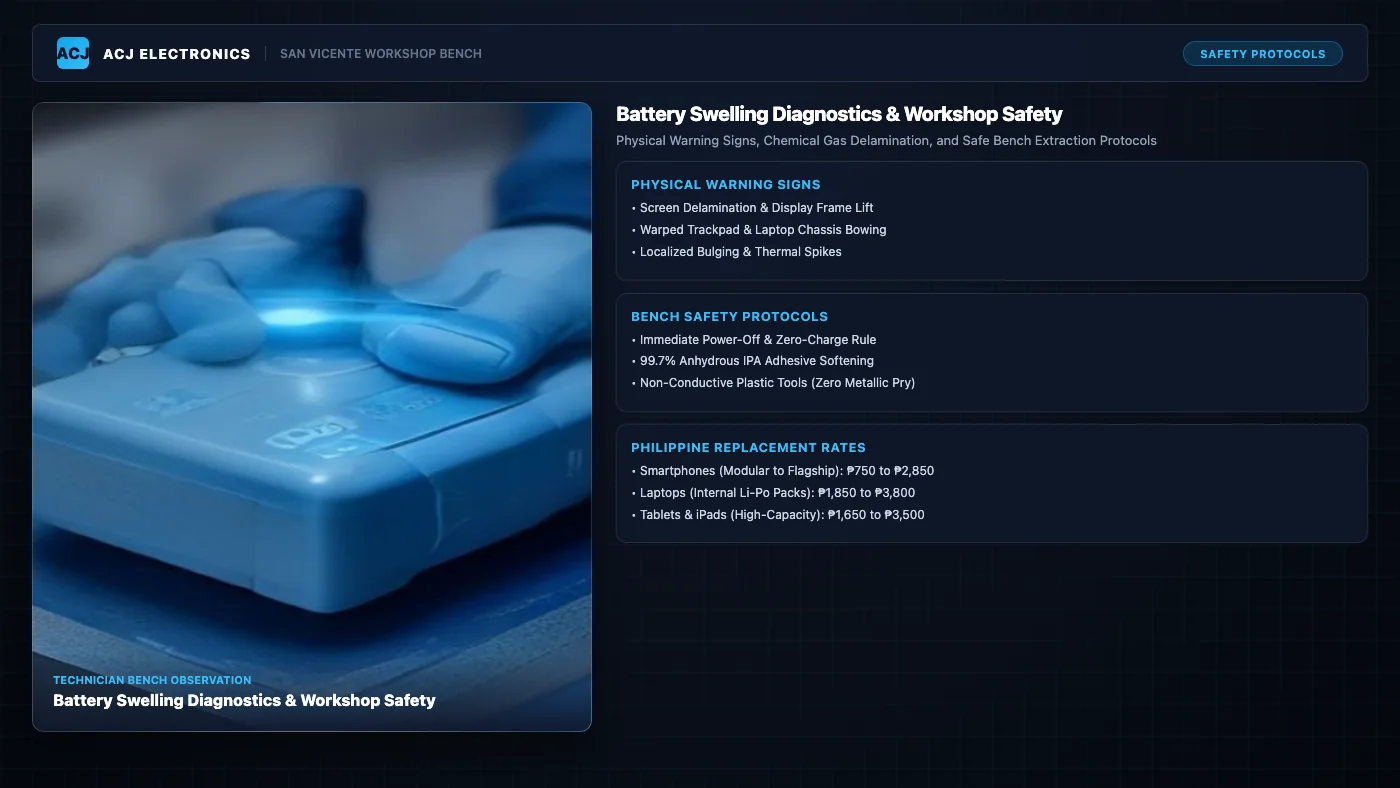
Modern mobile electronics rely almost exclusively on lithium-ion and lithium-polymer pouch cells. These batteries pack high energy density into ultra-thin form factors. However, that thinness comes at a physical cost. Unlike older cylindrical 18650 cells housed in rigid steel cans, smartphone, laptop, and tablet batteries are enclosed in flexible aluminum-polymer laminated pouches. When internal chemistry degrades, gas pressure pushes outward, deforming surrounding chassis components.
In our workshop in Poblacion, San Vicente, Ilocos Sur, we regularly inspect devices with bulging cases under Angelo Carlo A. Jacinto (BS ECE, NC II). Customers often bring in a phone believing the screen glue simply dried out, or a laptop because the trackpad stopped clicking. In nearly every case, the underlying culprit is a swollen battery generating physical mechanical stress from underneath. Recognizing these warning signs early protects your motherboard from structural snapping and eliminates catastrophic fire risks.
Physical Warning Signs of Battery Swelling Across Devices
Battery swelling rarely occurs overnight without subtle mechanical precursors. Recognizing how distinct device architectures telegraph internal pouch expansion allows you to isolate the hardware before expensive displays crack or circuit boards warp.
1. Smartphone Warning Signs
Because smartphones are tightly glued assemblies with tolerances under 0.5 mm, internal pressure shows up quickly through external seams:
- Display Frame Separation: The screen assembly begins lifting away from the aluminum midframe, typically along the left or right perimeter where the battery sits. You may see a narrow gap emitting backlight glow.
- Rainbow Discoloration on Displays: As the battery pouch expands against the underside of an LCD or OLED panel, localized mechanical pressure produces iridescent rainbow halos or oil slick distortion spots when the screen is on.
- Stiff or Non-Clicking Side Buttons: Severe pouch expansion pushes internal chassis brackets outward, pinching volume and power button flex cables against exterior cutouts and making them rigid.
- Rear Glass Delamination: Modern glass-backed handsets develop curved gaps where perimeter waterproof adhesive gives way under continuous upward hydrostatic force.
If you observe any of these symptoms on your handset, review our mobile phone repair services and explore the phone repair hub for diagnostic workflows. If you use an Android device, check our dedicated Android phone battery repair guide for component-level triage.
2. Laptop Warning Signs
In modern thin-and-light laptops and ultrabooks, internal lithium-polymer battery packs sit directly beneath the keyboard deck and palmrest:
- Stiff, Unresponsive, or Non-Clicking Trackpad: The trackpad tactile dome switch relies on 0.8 mm to 1.2 mm of vertical mechanical clearance. When a battery cell directly underneath swells, it presses upward against the trackpad bracket, eliminating tactile click travel entirely.
- Chassis Rocking on Flat Desks: When placed on a completely flat desk, a swollen laptop rocks diagonally on its rubber feet because the bottom metal or plastic lid has bowed downward in the center.
- Keyboard Deck Tenting: The keyboard casing rises slightly in the middle, creating a noticeable curve between the G, H, and spacebar keys.
- Palmrest Seam Splitting: The perimeter screws holding the lower case to the upper deck begin pulling out of their brass threaded standoffs, snapping plastic retaining clips.
When laptop chassis warping begins, consult our laptop repair services and our laptop repair hub. For full disassembly procedures and screw mapping, read our detailed laptop battery replacement guide.
3. Tablet and iPad Warning Signs
Tablets combine large-capacity battery cells ranging from 6,000 mAh to 10,500 mAh with expansive front glass panels. When these large pouches expand, the sheer surface area multiplies the total force applied to the glass:
- Perimeter Glass Lifting: The laminated digitizer lifts upward from the aluminum unibody enclosure, breaking factory tape bonds.
- Severe Edge Backlight Bleeding: Uneven mechanical strain on light guide plates creates bright yellow or white flares along the display edges.
- Curved or Bowed Metal Housing: Applying a straight metal ruler along the rear aluminum casing reveals a noticeable gap in the center.
For large-format touchscreens and high-capacity cells, our tablet repair services provide safe bench heating and precision extraction.
Chemical Degradation Mechanics: Why Lithium Pouch Cells Swell
Battery swelling is not a manufacturing defect in most aging devices. It is the predictable end-stage electrochemical breakdown of lithium-based power cells. To understand why cells bloat, we must examine the chemistry inside the pouch.
A standard lithium-ion or lithium-polymer battery consists of a lithium cobalt oxide (LiCoO2) or nickel manganese cobalt (NMC) cathode, a graphite anode, a liquid organic electrolyte, and a microporous polymer separator measuring just 12 to 20 micrometers thick. The electrolyte contains lithium hexafluorophosphate (LiPF6) dissolved in organic carbonate solvents, such as ethylene carbonate (EC), dimethyl carbonate (DMC), and ethyl methyl carbonate (EMC).
Under normal operational cycles, a thin protective barrier called the Solid Electrolyte Interphase (SEI) forms on the graphite anode. However, several common operating stresses trigger irreversible electrolyte breakdown:
- Thermal Acceleration in Tropical Environments: Ambient temperatures in the Philippines regularly exceed 34°C. Operating a smartphone or laptop inside unventilated rooms, leaving devices on vehicle dashboards, or heavy gaming while fast charging drives internal cell temperatures beyond 45°C. At high temperatures, organic carbonate solvents oxidize and decompose rapidly.
- Overcharging and High Float Voltage: Keeping a laptop or tablet connected to a charger 24/7 holds battery cells at their maximum 4.20V to 4.40V float threshold indefinitely. This constant electrochemical tension degrades the cathode structure, liberating reactive oxygen atoms that react with organic solvents.
- Gas Evolution: As solvents break down chemically, they produce volatile gases including carbon dioxide (CO2), carbon monoxide (CO), methane (CH4), ethylene (C2H4), and hydrogen (H2). Because the aluminum-polymer pouch is hermetically sealed to keep ambient moisture out, these gases cannot escape. Internal pressure builds, ballooning the pouch outward.
- Lithium Dendrite Micro-Shorts: Deep discharging below 2.50V or rapid charging in cold conditions causes metallic lithium plating on the anode. Over time, microscopic needle-like crystals called dendrites pierce the delicate polymer separator, creating localized micro-short circuits that generate hot spots and accelerate gas production.
When internal pressure exceeds the tensile strength of the pouch layers, delamination occurs. If internal temperatures exceed 150°C, the separator melts, causing massive direct short circuits that initiate thermal runaway. During thermal runaway, the battery vents toxic hydrofluoric acid (HF) vapor and combustible hydrocarbons, producing aggressive flames reaching 600°C to 800°C that water cannot easily extinguish.
Critical Safety Hazards: What NOT to Do with a Swollen Battery
Internet forums and careless DIY videos often suggest dangerous workarounds for swollen batteries. On our workbench, we treat swollen lithium cells as active hazardous materials. Avoid these dangerous mistakes:
- NEVER Puncture, Poke, or Needle the Battery: Some users believe poking a tiny pinhole in the swollen pouch will safely deflate the gas and restore the battery. This is exceptionally dangerous. Puncturing the pouch allows atmospheric oxygen and humidity to rush inside, reacting violently with reactive lithium salts and volatile hydrocarbon gases. It triggers instantaneous jet flames, dense toxic smoke, and fiery chemical burns within seconds.
- NEVER Squeeze, Press, or Clamp the Battery Flat: Attempting to compress a swollen pouch with clamps, books, or finger pressure crushes the delicate internal layers together, forcing separator contact and causing an internal short circuit.
- NEVER Plug the Device into a Charger: Connecting a swollen device to a wall adapter or high-wattage power bank forces electrical current through a cell with severely increased internal resistance. The resulting resistive joule heating dramatically accelerates gas evolution and pushes the compromised pack toward thermal runaway.
- NEVER Put the Battery in the Refrigerator or Freezer: Freezing a battery does not reverse chemical decomposition. Trapped gases do not magically condense back into liquid electrolyte. Cold environments introduce moisture condensation upon removal, risking motherboard corrosion and separator cracking.
- NEVER Discard Swollen Cells into Regular Trash: Tossing a swollen lithium battery into household municipal garbage exposes sanitation workers to fire hazards. Compactors in garbage trucks routinely crush discarded batteries, igniting truck and landfill fires.
Safe Workshop Emergency Protocol and Zero-Pry Bench Extraction
When a swollen battery lands on our bench, we follow a strict diagnostic and containment sequence designed around technician safety and motherboard preservation. Professional bench extraction relies on chemistry rather than mechanical force.
Step 1: Immediate Electrical Isolation
The device is immediately powered down and disconnected from external AC adapters, bench power supplies, or USB test cables. If the device cannot be powered off through software because the digitizer is broken, we open the chassis with ESD-safe plastic picks and disconnect the battery terminal connector from the logic board before doing anything else. Cutting off the circuit prevents parasitic discharge and voltage spikes.
Step 2: Workshop Fire Containment Preparedness
Every swollen cell removal takes place on a grounded, anti-static ESD mat with a dedicated steel container filled with dry silica sand and vermiculite immediately adjacent to the bench. In the rare event of accidental pouch breach, the cell is submerged in dry sand to smother flames and absorb volatile vapors. Technicians wear protective safety glasses and heat-resistant gloves.
Step 3: Zero-Pry Chemical Adhesive Dissolution
Manufacturers secure pouch batteries using high-tack acrylic stretch-release tape or aggressive polyurethane adhesive foam. Attempting to pry these cells with metal spudgers, screwdrivers, or razor blades is the leading cause of workshop battery punctures.
Instead, we employ a zero-pry chemical softening protocol using 99.7% electronic-grade anhydrous isopropyl alcohol (IPA):
- Capillary Infiltration: Using a precision blunt-tip syringe, a controlled volume of 99.7% IPA is wicked beneath the battery margins. Electronic-grade IPA does not conduct electricity and evaporates cleanly without leaving mineral residues.
- Bond Dissolution: Over 90 to 180 seconds, the anhydrous alcohol breaks down the molecular bond of the acrylic adhesive, turning tough glue into a slippery, compliant gel.
- Nylon Floss and Carbon Fiber Cards: Technicians slide flexible nylon dental floss or thin carbon-fiber pry cards underneath the cell. The battery lifts freely without bending, creasing, or twisting the pouch.
For a deeper look into our workshop bench tools, ESD handling standards, and chemical supplies, explore our tools and skills hub.
Commercial Battery Replacement Rates in the Philippines
Replacing a swollen battery is standard hardware maintenance that restores device safety and mobile endurance. Costs vary based on display construction, adhesive complexity, and internal capacity. Below is our verified commercial pricing overview for the Philippine repair market.
| Device Category | Battery Capacity Range | Typical Swelling Signs | Philippine Price Range | Turnaround Time |
|---|---|---|---|---|
| Budget & Mid-Range Android Phones | 4,000 to 5,000 mAh | Plastic back cover bulging, screen frame gap | ₱750 to ₱1,450 | 1 to 2 hours |
| Flagship Curved AMOLED & iPhones | 3,200 to 5,000 mAh | Rear glass unsealing, display rainbow halos | ₱1,550 to ₱2,850 | 2 to 4 hours |
| Tablets & Apple iPads | 6,000 to 10,500 mAh | Large display lifting, perimeter light bleed | ₱1,650 to ₱3,500 | 2 to 4 hours |
| Thin Laptops & Ultrabooks | 45 to 86 Wh (3 to 6 cells) | Trackpad refusal to click, bottom lid bowing | ₱1,850 to ₱3,800 | 2 to 4 hours |
| Diagnostic Safety Triage & Disposal | All Capacities | Safe cell isolation, containment, hazardous disposal | ₱300 to ₱500 (Free with repair) | 30 to 60 mins |
To cross-reference pricing across different electronics subsystems, check our centralized electronics repair pricing hub and read our comprehensive Android battery replacement cost guide.
Battery Swelling Diagnostic Decision Matrix
Use this diagnostic matrix to assess hardware risk levels and determine appropriate workshop action based on observable physical symptoms.
| Observed Symptom | Affected Hardware | Failure Mechanism | Risk Level | Recommended Bench Action |
|---|---|---|---|---|
| Subtle seam gap on phone back cover | Rear adhesive gasket | Early stage gas generation (1–2 mm pouch expansion) | Medium | Power down device; schedule prompt battery swap before display stresses |
| Laptop trackpad stiff or impossible to click | Trackpad tactile switch & bracket | Intermediate pouch swelling (3–5 mm thickness gain) | High | Disconnect charger immediately; zero-pry pouch extraction to prevent bracket deformation |
| Rainbow oil-slick halos on AMOLED/LCD | Display digitizer matrix & substrate | Severe vertical mechanical pressure pushing directly on panel | Critical | Immediate emergency disassembly; remove battery before display substrate cracks |
| Chemical sweet smell or hissing sound | Pouch aluminum barrier layer | Active electrolyte vapor venting; compromised pouch hermetic seal | Emergency Hazard | Evacuate room; place unit in dry sand bucket outdoors; call professional service |
Workshop Bench Case Study: Swollen 4-Cell Pack on Asus Zenbook 14
In August 2026, a client from Poblacion, San Vicente brought in an Asus Zenbook 14 (UX425) ultrabook. The customer reported that the laptop trackpad had become completely rigid and refused to register physical clicks. Additionally, the laptop rocked noticeably when placed on a glass conference table. The customer suspected food debris had slipped under the glass trackpad.
Upon taking the laptop to our ESD workstation, I removed the Torx T5 perimeter chassis screws. The bottom aluminum casing popped upward under spring tension the moment the final two center screws were released, confirming significant internal displacement. Digital caliper measurements revealed the 67Wh 4-cell lithium-polymer battery pack had swollen from its factory specification of 4.2 mm to an alarming 9.8 mm in thickness.
The bloated pouch cells were pressing directly against the underside of the precision trackpad bracket, bottoming out the tactile microswitch travel. Following our safety protocol, I immediately disconnected the multi-pin battery harness from the motherboard to cut off standby voltage rails. Using a precision syringe, I introduced 99.7% anhydrous isopropyl alcohol along the battery perimeter tray, allowing capillary action to soften the factory adhesive strips over three minutes.
Using flexible carbon-fiber cards, the compromised battery was lifted out cleanly without creasing or puncturing the outer foil. It was safely placed in our vermiculite fire safety container. After inspecting the trackpad assembly, the mechanical switch and leveling screws were completely intact with zero permanent warping. I installed a brand-new OEM-specification 67Wh battery, torqued internal fasteners to 0.18 Nm, and recalibrated the power management SMBus telemetry.
The laptop was returned to the customer within three hours with full 1.1 mm trackpad click travel restored, completely flat chassis alignment, and normal battery endurance for a total cost of ₱2,450.
The 50% Economic Repair Feasibility Rule
At ACJ Electronics, we adhere to an honest 50% economic repair rule: if the complete cost of repairing a damaged device exceeds half the fair market value of an operational second-hand replacement, we advise our customers against the repair.
When caught early, swollen battery replacement easily passes the 50% rule. Spending ₱1,150 to replace a swollen cell in a ₱14,000 mid-range phone or ₱2,450 for a ₱35,000 laptop represents less than 10% of the hardware value. However, if a swollen battery is ignored until it snaps a ₱6,000 curved AMOLED display or cracks a ₱12,000 laptop logic board, cumulative repair costs can quickly eclipse the device worth. Review our repair vs replace hub for detailed cost-benefit frameworks.
Safe Battery Disposal and Workshop Consultation
Once removed, a swollen battery cannot be restored or reused. It must be recycled through certified hazardous electronic waste channels. At our workshop, spent lithium cells are discharged to zero volts using specialized resistive load banks, taped across their terminals, and deposited into hazardous recycling repositories.
If you suspect battery swelling in your phone, laptop, or tablet, do not hesitate or continue charging the device. Stop by our service center or get in touch for immediate diagnostic triage.
Frequently Asked Questions
How can I tell if my phone or laptop battery is swollen?
The earliest signs of battery swelling include a phone display lifting away from its midframe, sticky or unresponsive volume and power buttons, a laptop trackpad that becomes stiff or refuses to click, and a laptop bottom casing that wobbles on a flat surface. In tablets, swelling causes visible backlight bleeding around screen perimeters and rainbow discoloration when slight pressure is applied.
Is a swollen lithium battery dangerous, and can it catch fire?
Yes. A swollen lithium battery is a serious fire hazard. The swelling is caused by flammable gases, including carbon dioxide, methane, and ethylene, trapped inside an airtight aluminum pouch. If this sealed pouch is punctured, dropped, or subjected to electrical charging stress, it can experience catastrophic thermal runaway with flames reaching 600°C to 800°C alongside toxic hydrofluoric acid gas venting.
Can I puncture or poke a swollen battery to release the trapped gas?
Never puncture, poke, or needle a swollen battery pouch. Piercing the aluminum barrier instantly exposes volatile electrolytes and metallic lithium layers to atmospheric oxygen and humidity. This contact causes an instantaneous short circuit and thermal runaway, sparking violent jet flames and toxic fumes within fractions of a second.
Will putting a swollen battery in the refrigerator or freezer fix it?
No. Freezing a swollen battery does not reverse electrolyte gas decomposition or repair severed chemical bonds. Condensation from refrigeration can cause external short circuits across the battery management circuitry, and freezing temperatures can cause microscopic fissures in the polymer separator that increase short-circuit risks when the battery warms up.
How much does it cost to replace a swollen battery in the Philippines?
Swollen battery replacement in the Philippines generally costs between ₱750 and ₱1,450 for mid-range Android smartphones, ₱1,550 to ₱2,850 for flagship smartphones with curved AMOLED glass backs, ₱1,650 to ₱3,500 for tablets and iPads, and ₱1,850 to ₱3,800 for thin laptops and ultrabooks. Professional workshops include safe diagnostic isolation, adhesive chemical softening, and hazardous cell disposal.
Can I still charge or use my device if the battery is only slightly swollen?
No. Stop using and charging the device immediately. Even minor pouch expansion indicates internal chemical breakdown. Connecting the device to a charger forces electrical current through degraded electrodes with high internal resistance, generating severe joule heating that accelerates gas expansion and dramatically raises the risk of casing rupture or fire.