
Android phone battery repair and replacement in the Philippines costs between ₱750 for entry-level cells and ₱3,500 for flagship pouch replacements with BMS flex micro-soldering. Sudden shutdowns above 20% or physical swelling require cell replacement rather than software calibration to prevent permanent motherboard damage.
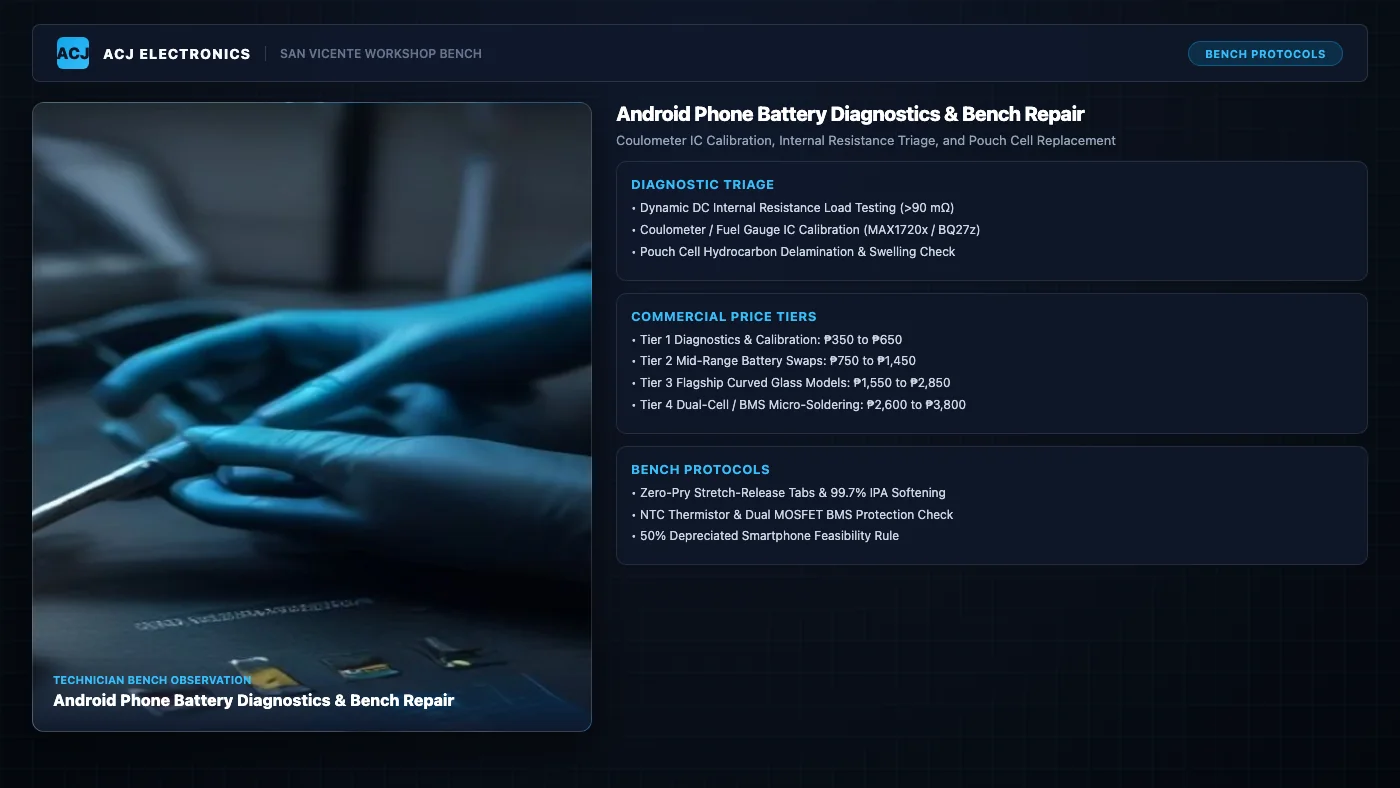
Modern Android smartphones pack exceptional processing power into ultra-thin profiles. Octa-core chipsets, 120Hz AMOLED panels, and multi-band 5G modems place demanding energy loads on internal power packs. Yet the underlying electrochemical cell remains the single most perishable component in the entire phone. Every Android handset relies on a lithium-ion or lithium-polymer pouch that suffers gradual, irreversible chemical degradation from the moment it leaves the assembly line.
When a phone drains from 100% to zero in two hours or abruptly shuts down during an incoming phone call, many users assume the handset is broken beyond repair. In our San Vicente workshop, we diagnose these issues daily under Angelo Carlo A. Jacinto (BS ECE, NC II). Understanding the physical mechanisms of battery aging, fuel gauge coulometer drift, and battery management circuitry enables you to make informed repair decisions rather than buying a new device prematurely.
Commercial Android Battery Repair and Replacement Rates in the Philippines
Battery servicing costs depend on chassis construction, display curvature, and whether the device requires specialized BMS flex micro-soldering to preserve fast-charging protocols. We classify Android battery repairs into four transparent workshop tiers.
| Service Tier | Philippine Price Range | Hardware & Bench Scope | Bench Turnaround |
|---|---|---|---|
| Tier 1: Triage & Coulometer Calibration | ₱350 to ₱650 | DC electronic load sweep, fuel gauge impedance register reset, standby leakage triage | 1 to 2 hours |
| Tier 2: Mid-Range Battery Replacement | ₱750 to ₱1,450 | Samsung Galaxy A-series, Xiaomi Redmi, Realme, Infinix, Vivo, Oppo; OEM grade pouch cell | 1 to 2 hours |
| Tier 3: Flagship Curved Glass Models | ₱1,550 to ₱2,850 | Samsung Galaxy S/Ultra, Google Pixel, Xiaomi flagships; thermal plate separation, OEM gasket reseal | 2 to 4 hours |
| Tier 4: Dual-Cell & BMS Micro-Soldering | ₱2,600 to ₱3,800 | Foldables (Galaxy Z Fold/Flip), paired BMS flex transfer, spot welding nickel tabs, SuperVOOC sync | 1 to 2 business days |
For model-specific price tables across Samsung, Xiaomi, and Oppo handsets, read our dedicated breakdown on Android Battery Replacement Cost Philippines. To compare battery rates against other smartphone hardware repairs, consult our Electronics Repair Pricing Hub.
Tier 1: Diagnostic Triage, Electronic Load Testing, and Coulometer Calibration
Not every battery complaint requires physical part replacement. Often, software miscalculations or fuel gauge register drift cause the operating system to misreport remaining capacity. In Tier 1 servicing, we connect the phone to an external DC electronic load analyzer to log discharge curves under steady currents from 500 mA to 2.5A.
We read real-time telemetry from the battery fuel gauge IC using hardware diagnostic interfaces. If the cell still retains over 82% of its original design capacity and exhibits healthy internal resistance below 45 milliohms, we execute a full hardware recalibration cycle. We reset the chemical capacity registers, clear corrupted battery statistics logs, and verify that standby sleep currents stay below 15 mA. This service costs ₱350 to ₱650 and resolves phantom battery drain without hardware costs.
Tier 2: Mid-Range Android Battery Swaps with OEM-Grade Pouch Cells
Mid-range smartphones account for the largest volume of repairs in the Philippines. Devices such as the Samsung Galaxy A-series, Xiaomi Redmi Note series, Realme number series, and Infinix models feature plastic or thin composite back covers that allow efficient disassembly.
Technicians soften perimeter adhesives at 65°C, release the rear cover, and disconnect the battery flex connector to cut live power to the motherboard. Using electronic-grade solvent, we neutralize the adhesive pull tabs beneath the battery to lift the pack without flexing the casing. We install a factory-fresh, tested 5,000 mAh pouch cell with matching NTC thermistor specifications, apply pre-cut acrylic adhesive strips, and seal the chassis. Tier 2 replacement costs ₱750 to ₱1,450 parts and labor included.
Tier 3: Flagship Curved AMOLED and Sealed Glass Models
Flagship smartphones present significantly higher mechanical repair complexity. Devices like the Samsung Galaxy S21 through S24 Ultra, Google Pixel 7 and 8 Pro, and Xiaomi Mi-series feature Gorilla Glass Victus rear panels bonded with aggressive structural adhesives and tight IP68 water-resistant perimeter gaskets. Any uneven prying cracks the glass back, adding substantial cost.
In Tier 3 service, we place the device on a digital temperature-controlled heating bed stabilized at 75°C. We slice the perimeter adhesive using ultra-thin 0.05 mm polyimide sheets while maintaining safe clearance from wireless charging coils and NFC antenna flexes. After extracting the degraded cell, we clean the midframe with 99.7% anhydrous isopropyl alcohol, seat the new high-discharge cell, and apply a brand-new laser-cut OEM pressure-sensitive adhesive gasket. This service ranges from ₱1,550 to ₱2,850.
Tier 4: Dual-Cell Foldables and BMS Flex Micro-Soldering
Premium foldable handsets like the Galaxy Z Fold and Flip series feature two physically separate battery cells wired in parallel across the central hinge. Both cells must maintain matched internal resistance to avoid cross-charging imbalances. Furthermore, modern proprietary charging protocols (such as Oppo SuperVOOC, OnePlus Warp Charge, and Xiaomi 120W HyperCharge) utilize encrypted authentication chips embedded directly on the factory Battery Management System (BMS) protection flex.
If a technician simply installs an aftermarket battery with a generic protection board, the phone will disable fast charging, cap charge rates at 5W, or throw continuous temperature warnings. In Tier 4 service, we carefully desolder the original factory BMS board from the expired cell. Under a stereoscopic microscope, we micro-solder the OEM protection circuit onto a fresh Grade-A high-rate pouch cell using low-temperature solder alloy at 285°C, wrap the terminals in polyimide kapton tape, and insulate the nickel tabs. This specialized engineering repair costs ₱2,600 to ₱3,800.
Component-Level Bench Diagnostics and Electrical Failure Triage
Diagnosing a faulty battery requires looking beyond simple percentage indicators in Android settings. At ACJ Electronics, we evaluate three critical electrical and chemical parameters to verify battery health.
Dynamic DC Internal Resistance Load Testing
As a lithium battery ages, the liquid electrolyte breaks down, solid electrolyte interphase (SEI) layers thicken on the graphite anode, and internal microscopic conductive pathways degrade. This degradation manifests as a sharp rise in the cell’s internal resistance (IR), measured in milliohms (mΩ).
A brand-new smartphone battery typically exhibits an internal resistance between 20 mΩ and 40 mΩ. Once a cell ages past 500 charge cycles, its internal resistance climbs to 90 mΩ, 120 mΩ, or even 180 mΩ. While this degraded battery may still charge to 4.2V and show 100% on the screen when sitting idle, it fails dramatically under load.
According to Ohm’s Law, terminal voltage drops in direct proportion to current draw: Voltage Drop equals Current multiplied by Internal Resistance. In standby mode, the phone draws only 150 mA, resulting in a negligible voltage drop. But when you launch the camera app, record 4K video, or engage a 5G data uplink, the system processor and radio chips demand a transient current spike of 2.5A to 3.5A.
With an internal resistance of 130 mΩ, a 3.0A current burst causes an immediate voltage drop of 0.39V. If the battery was sitting at 3.65V (roughly 30% reported charge), terminal voltage instantly plunges to 3.26V. This falls below the Power Management IC under-voltage lockout threshold (typically 3.3V to 3.4V). The PMIC cuts power instantly to protect flash storage from corruption, producing a sudden, unexplained blackout.
Coulometer and Fuel Gauge IC Telemetry Calibration
Modern Android phones do not measure battery level by voltage alone. Because lithium-ion discharge voltage curves remain almost flat between 80% and 20% capacity, voltage measurements cannot reliably indicate true state of charge. Instead, Android devices utilize dedicated fuel gauge chips, known as coulometers.
Common coulometer ICs include the Texas Instruments BQ27Z561 and BQ28Z610 series, Maxim Integrated MAX17201 and MAX17303 chips, and integrated Qualcomm power management fuel gauges (such as PM8150B or PM8250). These microchips monitor current flowing into and out of the battery across a precision surface-mount current-sense resistor (typically 5 to 10 milliohms), integrating milliampere-seconds over time.
Over months of partial charging cycles (such as plugging in at 40% and unplugging at 80%), the coulometer’s internal chemical capacity register (Qmax) drifts away from the cell’s actual chemical capacity. This creates severe desynchronization: the battery meter might stay stuck at 100% for hours, suddenly plummet from 50% to 20% in five minutes, or shut down while reporting 15% remaining. By executing controlled bench cycling with calibrated electronic loads, we recalibrate the coulometer registers so the operating system accurately reports charge levels.
BMS Protection Circuit Module Architecture
Every smartphone battery pack includes a miniature printed circuit board tucked under the top plastic tape, known as the Protection Circuit Module (PCM) or Battery Management System (BMS). This board contains essential protective circuitry:
- Dual Power MOSFETs: Connected in a common-drain configuration to independently switch off charging or discharging paths.
- Overcharge Protection IC: Disconnects the charging input if cell voltage exceeds 4.45V, preventing thermal runaway.
- Over-Discharge Protection: Shuts down discharge current if cell voltage collapses below 2.4V to 2.8V, preventing irreversible copper dissolution.
- Negative Temperature Coefficient (NTC) Thermistor: A 10kΩ thermal sensor that communicates real-time battery temperatures to the phone processor.
- Fuel Gauge Communication Bus: Communicates with the phone motherboard via I2C or HDQ single-wire telemetry lines.
When an Android phone refuses to charge and displays a yellow warning triangle or temperature alert, the problem is frequently a fractured solder joint on the NTC thermistor pin rather than a dead battery cell. We inspect and repair these miniature components under high magnification.
To examine the precision soldering stations, microscopes, and meters we use for logic board work, visit our Tools and Skills Hub.
Battery Swelling Physics, Chemical Hazards, and Safe Workshop Extraction
A swollen smartphone battery is not merely an inconvenience. It is an active chemical hazard that requires immediate professional intervention.
Electrochemical Mechanisms of Battery Swelling
Lithium-ion pouch cells swell due to outgassing caused by chemical decomposition. When a battery is subjected to high ambient heat (such as sitting on a vehicle dashboard in the Philippine sun), sustained fast-charging voltages above 4.35V, or deep discharges, the organic liquid carbonate solvents in the electrolyte oxidize and reduce.
This reaction produces volatile gases, including carbon dioxide (CO2), carbon monoxide (CO), methane (CH4), and ethylene (C2H4). Because the multi-layer aluminum-polymer pouch is hermetically sealed to prevent moisture ingress, these released gases have nowhere to escape. Internal pressure builds, causing the pouch to expand by 2 mm to 6 mm.
As the pouch expands, it exerts immense outward mechanical force against internal components. In modern phones, this swelling forces the rear glass cover off its frame, fractures the plastic midframe clips, or pushes against the back of the AMOLED display panel, creating purple pressure spots or cracking the display glass from within.
The Zero-Pry Safe Bench Protocol
Under no circumstances should a swollen battery be pried with metal tweezers, screwdrivers, or sharp scrapers. Puncturing the outer aluminum foil allows atmospheric oxygen and humidity to contact active lithium and volatile solvents. This triggers rapid exothermic oxidation, producing an uncontrollable fire venting toxic gases and flames at temperatures exceeding 600°C.
At ACJ Electronics, our technicians strictly follow a cold-chemical extraction protocol:
- Adhesive Softening: We inject small amounts of 99.7% electronic-grade anhydrous isopropyl alcohol around the battery perimeter. The alcohol dissolves acrylic pressure adhesives within 60 seconds without reacting with battery chemistry.
- Zero-Pry Separation: We slide flexible, non-conductive plastic cards or nylon thread underneath the battery pouch, gently sawing through softened adhesive tapes without placing bending stress on the cell casing.
- Fire-Safe Containment: Any extracted swollen cell is immediately placed inside a dedicated steel containment bin filled with coarse vermiculite and dry sand to neutralize thermal hazards.
If your phone was exposed to water or moisture before swelling, read our diagnostic protocol on Water-Damaged Phone Repair. If the charging port connector itself is loose or corroded, consult our guide on Phone Charging Port Repair.
Diagnostic Decision Matrix: Symptoms, Root Causes, and Feasibility
Use this diagnostic matrix to match your Android phone’s behavior with the underlying failure mode and appropriate repair pathway.
| Observed Symptom | Bench Diagnostic Finding | Root Hardware Cause | Recommended Service | Repair Feasibility |
|---|---|---|---|---|
| Phone cuts off abruptly at 20% to 35% during camera or gaming | Internal resistance >110 mΩ; voltage sags below 3.2V under 3A load | Electrochemical cathode wear; high internal resistance | Tier 2 or Tier 3 Battery Replacement (₱750 to ₱2,850) | 100% Feasible |
| Battery percentage jumps erratically (e.g., 65% to 20% in minutes) | Coulometer Qmax register out of sync; cell IR normal (32 mΩ) | Fuel gauge IC impedance tracking desynchronization | Tier 1 Bench Calibration & Cycle Triage (₱350 to ₱650) | High Feasibility |
| Back cover separating from frame or display lifting from midframe | Physical pouch thickness expanded by >2 mm; gas pocket present | Electrolyte breakdown generating volatile hydrocarbon gases | Emergency Battery Replacement (₱750 to ₱2,850) | Urgent Priority |
| Phone displays charging logo but battery stays permanently at 0% | Terminal voltage reads 2.1V; BMS MOSFET in low-voltage lock | Deep copper-drain discharge tripping safety latch | Tier 1 DC Bench Boost or Replacement (₱350 to ₱1,450) | High Feasibility |
| Phone gets burning hot near upper board while charging | Current leakage >450 mA in standby; FLIR shows PMIC hotspot | Shorted power rail decoupling capacitor or failed charging IC | Motherboard Logic Rail Repair (₱1,450 to ₱3,200) | Component Triage |
To review our full diagnostic procedures across all mobile device categories, visit our central Phone Repair Hub.
Bench Case Study: Samsung Galaxy S21 FE Shutdown Recovery in San Vicente
A customer residing in Poblacion, San Vicente brought in a Samsung Galaxy S21 FE 5G (SM-G990E) with a frustrating power problem. The handset operated normally during casual web browsing and messaging at full charge. However, whenever the battery dropped below 30%, launching the camera app or answering an incoming video call triggered an immediate, complete device blackout. Once shut down, the phone refused to turn back on until connected to a wall charger.
Believing the issue was a corrupted operating system update, the customer had performed three full factory data resets, losing personal app settings without resolving the shutdown behavior. They brought the device to ACJ Electronics for hardware evaluation.
Our diagnostic intake followed standard engineering protocols. We connected the phone battery terminals to our programmable DC electronic load analyzer. The test revealed an internal resistance of 142 mΩ, far above the healthy threshold of 35 mΩ. Under a simulated 3.1A current spike (matching the simultaneous demand of the Exynos image signal processor and 5G transceiver), the battery terminal voltage collapsed from 3.68V down to 3.14V. This sharp 0.54V drop breached the power management IC under-voltage lockout limit, triggering an emergency shutdown.
We restored the device through five systematic workshop steps:
- Thermal Back Cover Separation: We placed the handset on our digital heating plate at 72°C for eight minutes. Using plastic separation shims and suction cups, we lifted the rear glass panel without cracking the perimeter paint coating.
- Adhesive Neutralization: After uncoupling the wireless charging flex and disconnecting the battery connector, we applied 99.7% electronic-grade anhydrous isopropyl alcohol to the frame tabs, lifting the degraded 4,500 mAh pouch without applying pry pressure.
- BMS Transfer and Cell Matching: We installed an OEM-specification high-discharge pouch cell matching the original 4.45V charge cutoff profile, ensuring full compatibility with Samsung Adaptive Fast Charging.
- Fuel Gauge Recalibration: We reconnected the battery and performed a controlled charge-discharge cycle using our bench power supply, resetting the internal coulometer registers and clearing legacy cycle counts.
- Frame Cleaning and Resealing: We scraped old adhesive remnants from the aluminum midframe, applied a brand-new pre-cut OEM acrylic perimeter gasket, and clamped the chassis in an alignment press for thirty minutes.
Post-repair bench testing confirmed complete resolution. Under maximum benchmark stress testing with the camera recording 4K 60fps video at 12% battery level, the handset maintained steady operation with zero voltage collapse. The entire repair was completed for ₱1,850, saving the customer from replacing a ₱24,000 smartphone.
The 50% Economic Repair vs Replace Rule for Smartphones
At ACJ Electronics, we follow a strict 50% economic feasibility rule. We never advise a customer to invest in a repair if the total servicing cost exceeds half the fair market value of a working equivalent device.
Battery replacements represent one of the most cost-effective hardware investments in mobile electronics. For a mid-range phone worth ₱8,000 to ₱14,000, investing ₱850 to ₱1,450 for a fresh battery restores like-new runtime for another two to three years. That repair cost represents only 10% to 15% of the device value.
Even on premium flagships valued at ₱20,000 to ₱35,000, spending ₱1,850 to ₱2,850 for a Tier 3 replacement delivers outstanding financial return compared to purchasing a new replacement phone. However, if an aging budget Android phone worth only ₱2,500 has a swollen battery, a cracked display, and a damaged charging port totaling ₱2,800 in parts, we directly recommend device replacement.
To explore the economic decision frameworks we use across laptops, phones, and audio equipment, read our guide on the Repair vs Replace Hub.
Frequently Asked Questions About Android Phone Battery Repair
How much does Android phone battery repair or replacement cost in the Philippines?
Android phone battery replacement in the Philippines ranges from ₱750 to ₱1,450 for entry and mid-range devices like Samsung Galaxy A-series, Xiaomi Redmi, Realme, and Vivo. Premium flagships with curved glass backs cost ₱1,550 to ₱2,850, while foldable phones requiring dual-cell synchronization or specialized BMS flex micro-soldering range from ₱2,600 to ₱3,800. Diagnostic bench testing and fuel gauge coulometer calibration cost ₱350 to ₱650.
Why does my Android phone shut down suddenly when the battery shows 20% or 30%?
Sudden shutdowns occur when high internal resistance inside an aging lithium cell causes sharp voltage sag under peak load. When your phone opens the camera, connects to 5G, or plays high-frame games, the processor draws 2.5A to 3.5A of current. In a degraded cell with internal resistance exceeding 90 milliohms, this current surge drops terminal voltage below 3.3V, instantly tripping the power management IC shutdown threshold.
Can an Android battery be repaired, or does it always need to be replaced?
A degraded lithium-polymer pouch cell cannot be chemically restored once its electrolyte breaks down or internal resistance climbs. However, supporting electronics can be repaired. Technicians can reset latched BMS protection circuits, solder broken flex connector pins, and micro-solder original BMS protection boards onto fresh Grade-A cells to preserve fast-charging protocols without triggering safety errors.
What causes an Android battery to swell and push up the screen or back cover?
Swelling happens when chronic overheating, fast-charging stress, or overcharging breaks down liquid organic electrolytes into volatile gases like carbon dioxide, methane, and ethylene. Because the battery pouch is hermetically sealed, these trapped gases expand the cell by 2 mm to 6 mm, forcing rear glass covers off their frames and cracking fragile AMOLED displays from underneath.
How does a technician calibrate an Android battery fuel gauge or coulometer IC?
Calibration involves resetting the internal impedance tracking registers of dedicated fuel gauge chips like Texas Instruments BQ-series or Maxim MAX1720x. Technicians use regulated bench power supplies and electronic loads to take the cell through controlled discharge and charge cycles, measuring exact milliampere-hour throughput so the operating system accurately calculates State of Charge.
Is it safe to replace an Android phone battery myself at home?
DIY battery replacement carries serious fire and puncture hazards on modern sealed smartphones. Prying a glued lithium pouch with metallic tools can puncture the thin polymer barrier, causing thermal runaway exceeding 600°C within seconds. Professional technicians use 99.7% anhydrous isopropyl alcohol to neutralize adhesives, heated separation plates set strictly to 75°C, and non-conductive nylon tools.
Visit ACJ Electronics for Professional Android Battery Diagnostics
If your Android smartphone is draining quickly, overheating during simple tasks, or shutting down unexpectedly under load, do not wait for the battery to swell and damage your display. Bring your handset directly to ACJ Electronics in Poblacion, San Vicente, Ilocos Sur for professional bench diagnostics, internal resistance testing, and factory-standard battery replacement.
Explore our complete mobile hardware servicing on our Mobile Phone Repair Services page, or contact our workshop to speak directly with an engineer.
ACJ Electronics is located in Poblacion, San Vicente, Ilocos Sur. We provide transparent parts pricing, component-level micro-soldering, and honest diagnostic advice. Call us directly at +63 927 609 7155 for immediate technical assistance.