
Phone charging port repair in the Philippines costs between ₱250 for lint de-linting and ₱3,200 for logic board charging IC replacement. Most loose USB-C ports require either a ₱650 to ₱1,250 daughterboard swap or a ₱950 micro-soldered receptacle replacement to restore fast charging and computer data sync.
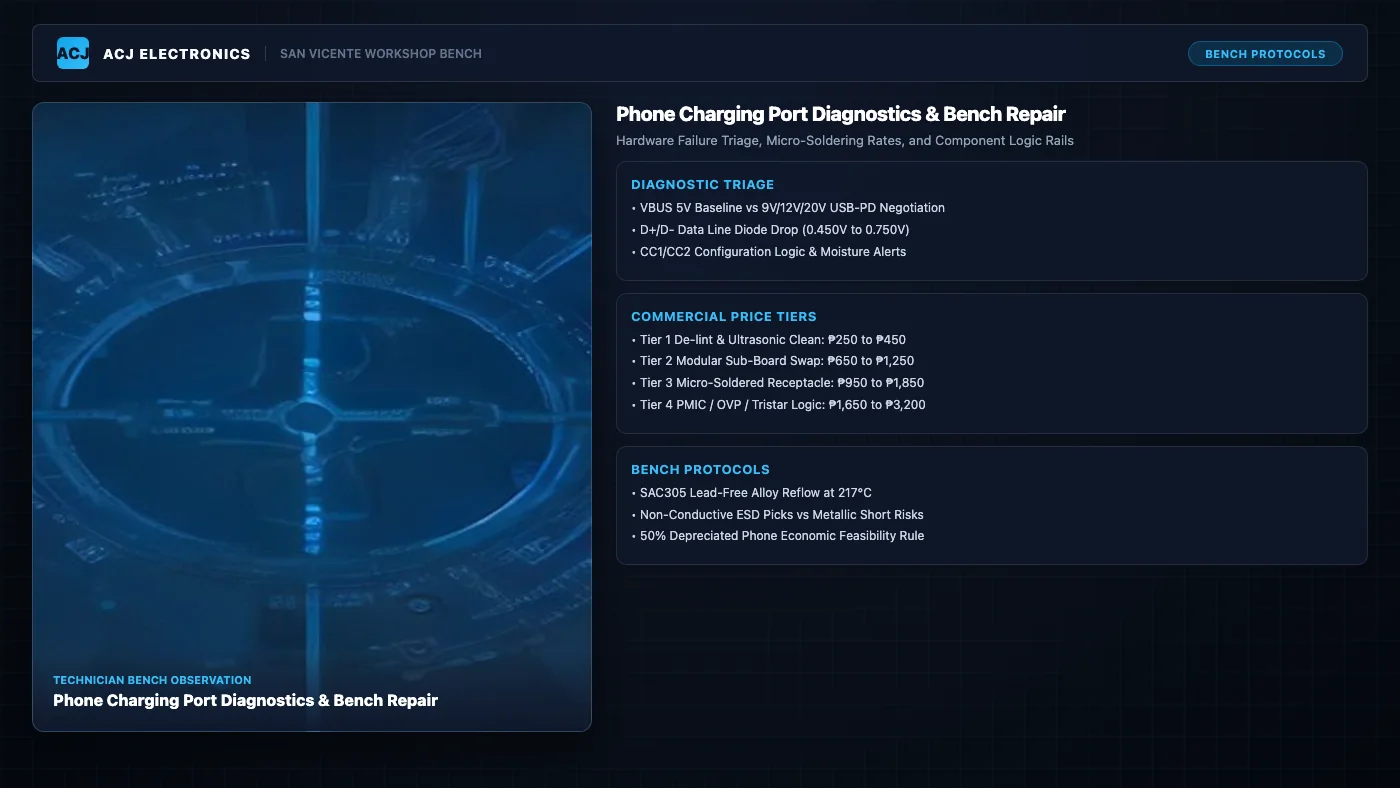
A smartphone that refuses to charge creates immediate panic. Most phone owners assume their battery died or the main motherboard burned out. In our San Vicente workshop, more than seven out of ten charging failures stem directly from mechanical socket wear, compacted pocket debris, or fractured solder joints along the connector pins.
Modern mobile devices rely on intricate multi-pin connections to handle high electrical power. A standard USB Type-C receptacle contains 24 microscopic pins packed into a cavity only 2.4 millimeters high. These pins handle baseline 5V power, rapid fast-charging negotiation up to 20V, and high-speed data transmission. When physical strain or contamination interrupts this connection, power stops flowing. Understanding how technicians diagnose these circuits helps you avoid unnecessary board replacements and choose the right repair path.
Commercial Phone Charging Port Repair Cost in the Philippines
Professional repair rates depend on phone architecture and the depth of electrical damage. We categorize charging port repairs into four distinct bench service tiers across the Philippines.
| Repair Service Tier | Philippine Price Range | Typical Hardware Scope | Turnaround Time |
|---|---|---|---|
| Tier 1: Port De-linting & Cleanout | ₱250 to ₱450 | Compacted denim lint extraction, oxidation removal, contact cleaning | 15 to 30 minutes |
| Tier 2: Modular Sub-Board Swap | ₱650 to ₱1,250 | Swapping modular charging daughterboard (Samsung A-series, Redmi, Realme) | 30 to 60 minutes |
| Tier 3: Micro-Soldered Receptacle | ₱950 to ₱1,850 | Desoldering damaged 16-pin to 24-pin SMD jack and soldering new connector | 2 to 4 hours |
| Tier 4: Charging IC & Logic Rail | ₱1,650 to ₱3,200 | Replacing shorted OVP diodes, blown VBUS capacitors, PMIC, or Tristar IC | 1 to 3 business days |
For a detailed breakdown of component pricing across all device categories, consult our Electronics Repair Pricing Hub.
Tier 1: Microscopic Port De-linting and Ultrasonic Cleanout
Every time you slide your phone into your pocket, denim threads, wool fibers, and dust enter the port cavity. The charging plug acts like a mechanical piston, ramming this debris into the bottom of the socket. Over several months, the lint becomes a dense, felt-like pad. The plug cannot seat deeply enough for its internal retention springs to latch, causing the cable to wobble or fall out under its own weight.
Bench service for Tier 1 involves inspecting the chamber under a stereoscopic microscope at 10x magnification. Technicians use ultra-fine curved anti-static tweezers to tease out compacted lint plugs without contacting internal spring contacts. We then brush the gold-plated pins using 99.9% anhydrous isopropyl alcohol to dissolve dried sweat, pocket oils, and surface oxidation. This costs between ₱250 and ₱450 and restores complete mechanical latching.
Tier 2: Modular Sub-Board Daughterboard Replacement
Most mid-range Android smartphones sold across the Philippines (including Samsung Galaxy A-series, Xiaomi Redmi, Oppo, Vivo, Realme, and Infinix) use a split motherboard design. The sensitive processor and memory chips reside on the top mainboard, while the USB charging port, primary microphone, vibration motor contacts, and cellular antenna connections sit on a small lower circuit board known as a sub-board or daughterboard.
These sub-boards connect to the main logic board via a flexible printed circuit (FPC) ribbon cable. When the charging receptacle suffers bent internal pins or cracked solder pads, replacing the entire modular daughterboard is the fastest and most reliable solution. The technician opens the back cover, disconnects the battery, removes the lower speaker enclosure, unclips the antenna coaxial wire, and installs a new OEM-specification sub-board. This service costs between ₱650 and ₱1,250 and takes less than an hour.
Tier 3: Micro-Soldered Multi-Pin Receptacle Replacement
On high-tier flagship phones, tablets, and older legacy handsets, the charging port is soldered directly to the main logic board. Swapping the entire board would cost thousands of pesos, so technicians replace the individual metal receptacle using precision micro-soldering.
A modern surface-mount USB-C jack has up to 24 contact pins arranged in dual rows with a 0.5 mm pin pitch, alongside four heavy through-hole mechanical anchor tabs soldered into the grounding plane. The technician shields adjacent plastic parts and microphones with polyimide Kapton tape, heats the joints using a focused hot air rework wand at 350°C, removes the damaged jack, cleans the circuit pads with copper desoldering braid, and solders a fresh gold-plated receptacle using SAC305 lead-free alloy and rosin flux. This repair requires advanced bench skills, costing between ₱950 and ₱1,850.
Tier 4: Charging IC, PMIC, and OVP Logic Rail Repair
When a phone receives an electrical surge from an ungrounded generator, cheap counterfeit car charger, or lightning-induced power spike, the damage extends past the physical port. The high-voltage surge bypasses the socket and strikes the charging power management circuitry.
Technicians use board schematics and digital multimeters in diode mode to trace the 5V VBUS power rail. We check the Over-Voltage Protection (OVP) semiconductor diode, filter decoupling capacitors, and dedicated charging management chips (such as Qualcomm SMB controllers, MediaTek MT6370 chips, or Tristar/Hydra USB transceiver ICs on iPhones). Blown micro-components must be desoldered and replaced under microscope optics. This board-level micro-soldering service ranges from ₱1,650 to ₱3,200.
Component-Level Bench Diagnostics and Hardware Failure Triage
At ACJ Electronics, we never guess whether a port is bad. We connect diagnostic instrumentation to measure electrical behavior before opening the phone casing.
VBUS Voltage Rail and Fast Charge Negotiation
The primary power path in any USB charging system is the VBUS line. Under the baseline USB 2.0 specification, this rail supplies 5V DC at up to 2.0A. Modern rapid charging standards (USB Power Delivery and Qualcomm QuickCharge) negotiate higher voltages (9V, 12V, 15V, or 20V) to deliver up to 65W of charging power without overheating thin charging wires.
We connect an in-line digital USB power meter between our laboratory power supply and the customer device. A healthy phone initially draws 5.0V at 0.45A to 1.0A while checking battery state. Within three seconds, the phone communicates with the charger and steps up to 9.0V at 1.8A (fast charging mode). If the meter reads 0.00A current draw, the VBUS rail has an open circuit or a dead short circuit to ground. If it stays locked at 5.0V and draws only 0.40A, the device has lost its fast-charging communication lines.
CC1 and CC2 Configuration Channel Diagnostics
USB Type-C connectors feature two critical logic pins called Configuration Channel 1 (CC1) and Configuration Channel 2 (CC2). These pins detect cable orientation, establish host-client roles, and communicate USB Power Delivery profiles. They also monitor moisture ingress.
When salt water, soda, or sweat enters the port, conductive residue forms a microscopic electrical bridge between a CC pin and an adjacent ground pin. The phone detects abnormal resistance (typically below 10k ohms) and permanently displays a “Moisture detected in charging port” alert, refusing all incoming current. We measure diode mode voltage drops on both CC pins. A normal line reads between 0.450V and 0.750V. A reading below 0.150V confirms an electrical short, while a reading of OL (Open Loop) indicates a severed circuit trace.
D+ and D- Data Line Integrity
Many customers bring in phones that charge normally from a wall brick but fail to connect to laptops or car head units. Charging and computer communication use separate pathways inside the port.
The USB D+ (Data Positive) and D- (Data Negative) differential pair carries high-speed bidirectional data. If a physical drop or twisted cable fractures only the D+ or D- solder fillet, power continues to flow through VBUS, but all data transmission dies. We test both data pins with a digital multimeter in diode mode against system ground. Both pins should register nearly identical forward voltage drops (between 0.500V and 0.700V). If one pin reads OL while the other reads 0.620V, the receptacle has an internal physical break.
Mechanical Failure Modes Under the Microscope
Physical inspection under bench magnification reveals why charging ports fail in daily use:
- Pocket Lint Compaction: Denim fiber plugs prevent the metal collar of the charging cable from inserting the final 0.8 millimeters required for the locking tabs to click into place.
- Cracked Center Tongue: USB Type-C sockets contain a central plastic or ceramic tongue holding 12 gold pins on each side. Forcing a cable at an angle or using bent plugs snaps this tongue, jamming pins together and causing severe short circuits.
- Corroded Spring Pins: Electrolysis occurs when moisture touches active 5V pins. Within hours, the microscopic gold plating dissolves, leaving green copper oxide crust that blocks electrical contact.
- Fractured Solder Fillets: Playing games or watching videos while charging puts heavy upward lever pressure on the plug. This repeated torque breaks the solder joints anchoring the port tabs to the circuit board.
- Lifted Copper PCB Traces: If the phone drops while plugged in, the mechanical shock tears the copper foil straight off the fiberglass sub-board, requiring microscopic jumper wires to reconstruct the circuit.
To learn more about bench tools and soldering instrumentation, visit our Tools and Skills Hub.
Diagnostic Decision Matrix: Symptoms and Repair Tiers
Use this diagnostic matrix to identify which repair tier your phone requires based on physical symptoms and bench measurements.
| Observed Symptom | Bench Measurement | Probable Root Cause | Recommended Tier | Feasibility |
|---|---|---|---|---|
| Cable falls out loosely; gap visible between plug and phone | Intermittent 0.00A to 0.50A current | Compacted denim lint preventing plug latching | Tier 1: Port De-linting (₱250 to ₱450) | 100% Feasible |
| Charges only when cable is bent upward or angled | 0.00A resting, 1.20A when tilted upward | Fractured ground anchor tabs or cracked VBUS solder joint | Tier 2 Sub-Board (₱650 to ₱1,250) or Tier 3 Reflow | 100% Feasible |
| Persistent “Moisture Detected” alert on dry phone | CC1/CC2 diode drop below 0.150V (short to ground) | Conductive mineral residue or corroded CC logic lines | Tier 1 Cleanout or Tier 2 Sub-Board Swap | High Feasibility |
| Phone charges slowly; PC does not recognize device | D+ or D- reads OL (Open Loop); current capped at 0.50A | Severed differential data pin or broken data line filter | Tier 2 Sub-Board or Tier 3 Receptacle Swap | High Feasibility |
| Total no-charge; phone gets hot near bottom board | Bench ammeter shows short circuit shutdown or 0.00A | Shorted OVP diode, shorted filter capacitor, or blown PMIC | Tier 4: Logic Board Repair (₱1,650 to ₱3,200) | Check 50% Rule |
For more troubleshooting guides on mobile hardware, explore our Phone Repair Hub.
Safe DIY Triage vs Workshop Hazards
We encourage customers to perform simple visual checks at home, but using the wrong tools causes catastrophic circuit destruction. Knowing where safe DIY stops protects your phone from permanent failure.
Safe DIY Checks You Can Do at Home
- Inspect with a Bright Flashlight: Shine a concentrated light straight into the charging socket. A clean port has a clear, hollow bottom with visible metallic contacts. If you see a fuzzy gray or dark obstruction, packed lint is present.
- Test Multiple Known-Good Cables and Bricks: Before concluding your phone is broken, test with an original OEM charging cable and wall adapter. Cheap third-party cables frequently suffer internal conductor breaks near the strain-relief boot.
- Use Non-Conductive Wooden or Plastic Picks: If you must remove loose surface fluff, use a dry bamboo toothpick whittled down to a fine flat wedge or a plastic dental flosser pick. Work gently along the metal outer walls without touching the delicate center pin array.
Dangerous DIY Mistakes That Destroy Logic Boards
- Metal Safety Pins, Needles, and Paperclips: Never poke metal needles into a charging port. Steel tools conduct electricity. If the needle touches the live 5V VBUS pin and bridges it to ground or a CC line, it generates an instant electrical short. This burns out the OVP semiconductor or destroys the main charging processor before you even unplug the battery.
- Spraying WD-40, Alcohol, or Contact Cleaner Directly Inside: Never spray liquid aerosol cleaners directly into an assembled smartphone port. The solvent dissolves internal display adhesive, seeps into the backlight diffuser sheets creating permanent dark watermarks, and damages the primary microphone membrane situated next to the port.
- Aggressive Scraping on the Center Tongue: The central pin bar inside USB-C sockets is paper-thin. Scraping it with rigid tools snaps the plastic tongue or bends the gold fingers outward, creating permanent internal shorts that require a complete board replacement.
If your phone recently came into contact with liquids or salt water, review our detailed guide on Water-Damaged Phone Repair before plugging in any charger.
Bench Case Study: Samsung Galaxy A-Series USB-C Sub-Board Repair in San Vicente
A customer from Poblacion, San Vicente brought in a Samsung Galaxy A52 smartphone that refused to charge unless the charging cable was pushed firmly upward at a steep angle. The customer had to balance the phone against a heavy book overnight just to achieve a 40% charge.
Our initial diagnostic intake verified the symptom. We connected the phone to an in-line USB bench ammeter. At rest, the ammeter registered 5.08V with exactly 0.00A current draw. When we applied upward manual pressure to the cable plug, the current jumped intermittently to 0.45A, confirming that an open circuit was temporarily bridging under mechanical stress.
We placed the device under our stereoscopic bench microscope. Inspection revealed two distinct mechanical failures: a tight wedge of compressed denim lint at the base of the cavity and hairline stress cracks encircling all four ground solder anchor tabs on the sub-board. Furthermore, microscopic inspection of the rear surface-mount pin row showed that repeated upward flexing had fractured the solder fillets on both the VBUS power pin and the CC1 line.
We disassembled the phone, disconnected the battery connector, and removed the modular charging daughterboard. We carried out the repair in four systematic steps:
- Ultrasonic Cleanout: The sub-board underwent a 5-minute ultrasonic cleaning bath in 99.9% electronic-grade anhydrous isopropyl alcohol to remove all compressed fibers and flux residues.
- Mechanical Re-anchoring: We reflowed all four through-hole chassis anchor tabs using high-strength SAC305 lead-free solder alloy at 350°C, establishing solid structural reinforcement against future cable torque.
- Micro-Soldering Pin Reflow: Using a fine conical soldering tip under 20x magnification, we applied NC-559-ASM tacky rosin flux and reflowed the cracked VBUS and CC1 solder pads, restoring clean wetting fillets.
- Environmental Protection: We cured a thin protective layer of silicone conformal coating over the pin joints using ultraviolet light to seal against ambient humidity and sweat ingress.
Following reassembly, we connected the Samsung Galaxy A52 back to our bench ammeter. The device instantly negotiated Samsung Adaptive Fast Charging, drawing 9.15V at 1.82A (16.6W) in both cable orientations. Computer data synchronization over USB 2.0 and USB 3.0 verified full file transfer capability. The total repair bill came to ₱850, completed in 45 minutes, saving the customer from an expensive phone replacement.
The 50% Repair vs Replace Economic Feasibility Rule
At ACJ Electronics, we follow a strict financial rule: if a repair quote exceeds 50% of the phone’s current second-hand market value, we advise replacing the phone rather than fixing it.
Most charging port repairs (Tier 1 through Tier 3, ranging from ₱250 to ₱1,850) represent outstanding value. Even a 3-year-old mid-range smartphone worth ₱5,000 easily justifies an ₱850 sub-board swap. However, if an aging budget device worth ₱2,500 suffers a catastrophic Tier 4 failure requiring a ₱2,200 power management chip replacement, spending that money makes no financial sense.
Before committing to an expensive board-level repair, inspect the overall condition of your device. If the battery is noticeably degraded, check our Android Battery Replacement Cost Guide. If the battery shows signs of physical pouch expansion or screen lifting, read our guide on How to Identify Battery Swelling and What to Do before spending money on charging port repair.
For more help evaluating hardware investments, visit our Repair vs Replace Hub.
Frequently Asked Questions About Phone Charging Port Repair
How much does phone charging port repair cost in the Philippines?
Phone charging port repair costs in the Philippines range from ₱250 for simple lint extraction to ₱3,200 for logic board charging IC or PMIC micro-soldering. Modular sub-board replacements for common Android brands cost between ₱650 and ₱1,250, while individual micro-soldered USB-C port replacements cost between ₱950 and ₱1,850 depending on pin density.
Why does my phone only charge when the cable is angled or held tightly?
Angled charging indicates mechanical solder joint fatigue or severed copper pads. When you tilt the cable, physical pressure temporarily forces cracked solder fillets on the VBUS power pin or ground anchor tabs back into electrical contact. Continuing to wiggle the cable will eventually tear the delicate copper traces off the circuit board, turning a simple reflow into an expensive trace jumper repair.
Can I clean out my phone charging port using a metal safety pin or needle?
Never insert metal pins, paperclips, or sewing needles into a charging port. Metal tools short the 5V VBUS power rail directly to ground pins, instantly blowing internal Over-Voltage Protection (OVP) diodes or damaging the charging management chip. Metal pins also scratch off the microscopically thin gold plating on spring contacts, causing rapid oxidation. Always use non-conductive wooden toothpicks, plastic dental picks, and 99.9% isopropyl alcohol.
Why does my phone show a moisture detected warning when the port is dry?
Modern smartphones monitor electrical resistance between the Configuration Channel (CC1 and CC2) pins and ground. If conductive pocket debris, salt deposits from sweat, or mineral residue bridges these pins, the phone detects an abnormal impedance drop and triggers a false moisture alert. Ultrasonic cleaning with anhydrous isopropyl alcohol removes microscopic conductive contaminants and clears the warning.
What is the difference between a sub-board replacement and micro-soldering a new port?
Most mid-range Android phones (Samsung Galaxy A-series, Xiaomi Redmi, Realme, Oppo, Vivo) house the charging port, microphone, and cellular antenna on a separate modular sub-board connected by a ribbon cable. Technicians can replace the entire daughterboard in 30 minutes for ₱650 to ₱1,250. High-end flagships and iPhones integrate the charging socket directly onto the main logic board or glued flex assemblies, requiring precision hot-air micro-soldering under a microscope for ₱950 to ₱1,850.
Why does my phone charge slowly or fail to connect to a desktop computer?
Slow charging combined with failed computer data recognition indicates broken D+ and D- differential data lines. QuickCharge and USB Power Delivery protocols require active data communication between the phone and charger to negotiate 9V, 12V, or 20V fast charging. When the data pins are bent or disconnected, the device defaults to baseline USB 2.0 trickle charging at 5V 0.50A.
Visit ACJ Electronics for Diagnostic Bench Testing
If your smartphone refuses to charge, disconnects intermittently, or shows false moisture alerts, bring it to our workshop for professional bench evaluation. We measure voltage drops, current draw, and pin integrity under high magnification before recommending any parts replacement.
Explore our complete range of repair solutions on our Mobile Phone Repair Services page, or contact our workshop directly to speak with an engineer.
ACJ Electronics is located in Poblacion, San Vicente, Ilocos Sur. We provide transparent pricing, component-level bench repairs, and standard 90-day warranty coverage on all hardware service. Call us directly at +63 927 609 7155 for immediate technical assistance.